Reminderly.ai vs Tasks.Bot for AI Task Management Automation
Two AI task tools, one decision: which one actually runs your team's to-do list. Many platforms promise automation but still need a human chasing updates across email, spreadsheets, and chat threads. Choosing wrong means paying for reminders nobody reads.
This comparison shows how Reminderly.ai and Tasks.Bot differ on AI task management automation. You will learn what Tasks.Bot does inside WhatsApp, how its voice notes, approvals, and field team tools work, what pricing and beta terms apply, and which teams get real value from it.
What Is Tasks.Bot? AI Task Management Inside WhatsApp
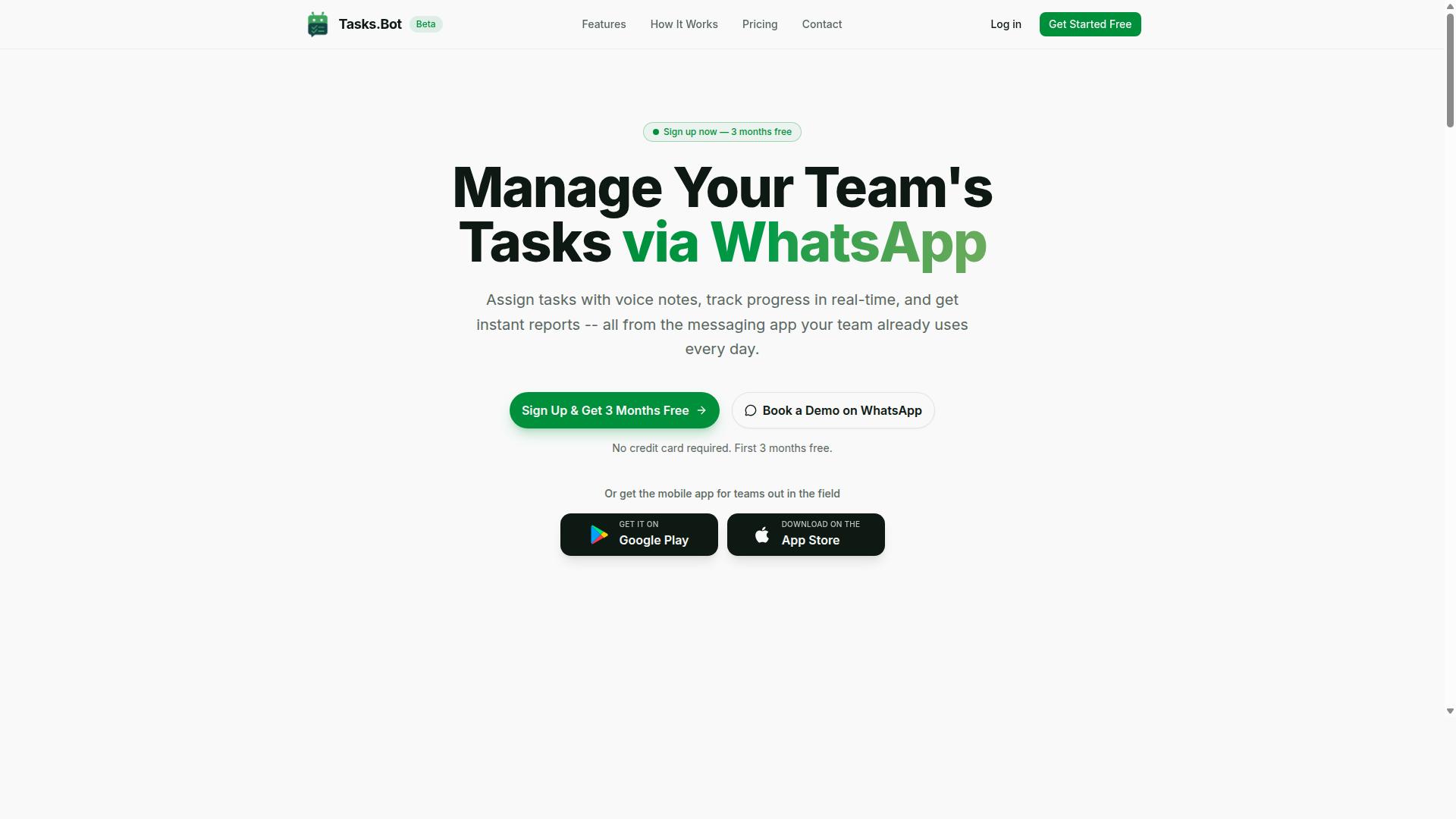
Tasks.Bot is a task management platform that operates entirely within WhatsApp, enabling teams to assign tasks, track progress, and receive reports without leaving the messaging app. Instead of asking people to adopt another dashboard, it meets them in the chat tool they already open every day.
The platform uses AI to interpret natural language and voice notes, turning everyday messages into structured tasks. It also offers a mobile app for field teams, and the service is currently in beta with a free trial period.
For readers comparing Reminderly.ai vs Tasks.Bot, the key distinction is delivery. Reminderly.ai centers on reminders and scheduling, while Tasks.Bot positions itself as a WhatsApp-first task tracker built for team collaboration and business automation.
Who Tasks.Bot Serves and How the AI Automation Works
Tasks.Bot is designed for teams that rely on WhatsApp for daily communication, particularly those with field staff who need to manage tasks, attendance, and hours on the go. The site mentions hundreds of teams already using the service.
The fit is strongest where people work away from a desk. Field staff rarely want to log into project management software at the end of a shift, but they almost always have WhatsApp open. Tasks.Bot turns that habit into a structured workflow without changing how the team communicates.
The automation rests on natural language processing and speech recognition. A manager can send a voice note to assign a task, and the AI understands the intent and creates the task. No forms, no dropdowns, no manual data entry.
From there, the system handles the follow-through that usually falls to a human coordinator:
- Automatic task assignment based on what the message says
- Smart deadline reminders that keep work moving without manual chasing
- Instant reports so managers can see status without asking for updates
Just as importantly, team members do not need to install anything or create new accounts. That removes the biggest barrier to adoption in field operations, where onboarding a new app for every worker is slow and often abandoned.
Attendance tracking and payroll-ready hours round out the picture, which matters for teams paying hourly staff. Rather than running a task tracker, a time clock, and a spreadsheet side by side, the work happens inside one conversation thread.
For a team weighing productivity software options, this is the practical trade-off. Tasks.Bot gives up the depth of a full project management suite in exchange for near-zero friction, which is often the deciding factor for WhatsApp-based crews.
Reminderly.ai vs Tasks.Bot: Which Fits AI Task Management Automation Better?
When comparing Reminderly.ai and Tasks.Bot, the key differentiator is Tasks.Bot's deep integration with WhatsApp, which eliminates the need for team members to adopt new tools. That single design choice shapes everything else about how each platform fits into a team's daily routine.
Reminderly.ai is generally positioned as a reminder and scheduling assistant that works through its own app or connected services. Tasks.Bot takes a different path: it operates entirely within WhatsApp, so nobody has to install anything or create new accounts. For teams already living in chat, that removes the biggest barrier to adoption.
Both tools use AI to interpret what users type, but Tasks.Bot applies natural language processing and voice note understanding to task creation. A field technician can send a voice message after a site visit and have it become a structured task. That kind of intent recognition matters when typing on a phone is impractical.
Where Tasks.Bot pulls clearly ahead is field operations. It offers face-verified attendance and live GPS tracking for field staff, capabilities that go beyond typical reminder app territory. A manager can confirm who showed up at a client site and where the job was completed, all inside the same chat thread.
Security is another point of contrast. Tasks.Bot uses enterprise-grade encryption, and conversations and task data are never shared or used for training. Teams handling sensitive client information often weigh this heavily when choosing productivity software.
The practical difference shows up in workflows. Consider a construction crew: a supervisor posts a task in a WhatsApp group, a worker replies with a voice note confirming completion, and attendance is verified on site. With a conventional reminder app, the same process would require switching between a task tracker, a separate attendance system, and a messaging tool.
For office-based teams that prefer a dedicated dashboard or need calendar syncing across platforms, Reminderly.ai may suit certain scheduling habits. But for WhatsApp-centric teams with field staff, Tasks.Bot covers task creation, attendance, and location in one place. The verdict is straightforward: if your team already runs on WhatsApp and works outside an office, Tasks.Bot is the stronger fit for AI task management automation.
Key Features and What Makes Tasks.Bot Stand Out
Tasks.Bot offers a comprehensive set of features designed to streamline task management, from voice note task creation to automatic reminders and approvals. It works through native WhatsApp integration, which means teams can manage work inside a messaging app they already use every day rather than adopting another platform.
The feature set falls into four practical categories. Task management covers voice note creation, automatic assignment, and smart reminders. Approvals and automations handle sign-off steps and follow-up actions. Instant reports give managers visibility without manual tracking.
Field team tools round out the platform with GPS tasks on a map, face-verified attendance, and shifts, leave, and hours management. Dedicated Android and iOS apps add push notifications, voice capture, and a home screen widget for quick access.
Taken together, these capabilities position Tasks.Bot as more than a reminder app. It functions as an AI task management system that uses natural language processing to understand intent and turn everyday messages into structured work.
Voice Notes, Smart Reminders, Approvals and Automations
Tasks.Bot leverages AI to turn voice notes into actionable tasks, automatically assigning them and setting smart deadline reminders. A user records a voice message in WhatsApp, and the system applies speech recognition and intent recognition to extract the task details.
Assignment follows predefined rules or AI judgment, so the right person receives the work without a manager manually routing it. Smart deadline reminders then adapt to task priority rather than firing on a fixed schedule.
Approvals add a control layer. A task can require sign-off before it is marked complete, which keeps quality checks inside the same conversation thread. Automations can trigger follow-up actions once a step finishes, connecting one task to the next.
Consider a message like "Remind me to submit the report by Friday at 5 PM." The system parses the intent, the task, and the deadline, creates the item, and schedules the reminder. No form filling, no separate task tracker, no context switching.
This is where workflow automation becomes genuinely useful for a virtual assistant style of working. The barrier to capturing a task drops to a single voice message, which matters for teams that lose work in chat scroll.
Field Team Tools: GPS Tasks on a Map, Face-Verified Attendance, Shifts and Hours
For field teams, Tasks.Bot provides GPS-enabled task location tracking, face-verified attendance, and tools to manage shifts and payroll-ready hours. Tasks can carry location data, and staff view them on a map to plan routes and confirm destinations.
Face-verified attendance addresses a common field problem: buddy punching. Staff check in using facial recognition, which ties attendance to the actual person on site rather than a shared device or a colleague's confirmation.
Shift management and hour tracking sit alongside attendance, and the hours recorded are structured to feed payroll. Leave management is included in the same system, so scheduling and time-off requests stay in one place.
A practical example shows how the pieces connect. A field technician receives a task to visit a client site with GPS coordinates attached. On arrival, they check in through face verification, and their hours are logged automatically.
The mobile app for Android and iOS supports this workflow with push notifications, voice capture, and a home screen widget. A live day tracker gives both the technician and the manager a running view of progress through the day.
For businesses running distributed crews, this combination replaces paper timesheets and phone-based check-ins with a single automated record. That reduces disputes over hours and gives managers instant reports instead of end-of-week reconciliation.
Pricing and Plans
Tasks.Bot offers a single 'Full Access' plan with all features included, priced at ₹200 per member per month or ₹1,200 per year per member. There are no starter tiers, no feature gates, and no upsells to unlock core capabilities. Every user on the plan gets the same complete set of tools for AI task management and workflow automation.
That simplicity matters when teams compare AI task management options. Many productivity software platforms split scheduling, reminders, and integrations across multiple paid levels, which makes budgeting harder and often forces an upgrade just to access a basic capability. Tasks.Bot avoids that entirely by charging one rate for everything it offers.
Pricing is listed in Indian Rupees (₹) and US Dollars ($), and a currency selector lets users choose the option that fits their region. Because rates can vary by currency, it is worth verifying the displayed amount before subscribing.
| Plan | Price | What Is Included |
|---|---|---|
| Monthly | ₹200 per member per month | All features |
| Annual | ₹1,200 per year per member | All features |
The annual option works out to roughly ₹100 per month per member, a 50 percent saving compared with paying monthly. Across a year, that difference adds up to ₹1,200 saved per member.
For a team of 10, the annual cost comes to ₹12,000 total. That figure covers every member at full access, with nothing held back behind a higher tier. For small and mid-sized teams evaluating automation spend, a flat per-member rate is easier to forecast than layered plans that change as usage grows.
Tasks.Bot is currently in beta, and new users receive 3 months free with no credit card required. Accounts can be cancelled at any time, and a refund policy applies, so teams can test the platform on real workflows before committing budget.
The takeaway is straightforward: one plan, one price per member, every feature included. There are no hidden tiers and no surprise upgrade prompts, which keeps the decision simple for anyone weighing Tasks.Bot for AI task management automation.
Trust Signals: Beta Status, Encryption and Refund Policy
Tasks.Bot is currently in beta, offering an opportunity for early adopters to shape the product while benefiting from a refund policy and robust encryption. For anyone weighing AI task management tools, these trust signals matter as much as the feature list itself.
Beta status tells you two things. First, the product is still evolving, so features and interfaces may change as the team refines the experience. Second, early users often get a direct line to influence what gets built next.
That trade-off cuts both ways. You may encounter rough edges or shifting behavior, but you also gain cost savings that typically disappear once a product reaches general availability.
Feedback from beta users frequently shapes priorities, from natural language processing accuracy to how reminders are triggered across channels. If you value having a say in a tool you rely on daily, this stage is the moment to speak up.
On the security side, data is protected with enterprise-grade encryption. That matters for a virtual assistant handling schedules, task lists, and team workflows, where sensitive details often pass through.
Encryption in transit guards information as it travels between your device and the service. Encryption at rest protects stored data, so a breach of physical infrastructure does not expose your content in readable form.
For teams evaluating workflow automation, these are baseline expectations, not extras. Businesses handling client data or internal project details should confirm how any tool handles storage and transmission before committing.
The refund policy is listed in the footer of the Tasks.Bot website. Since terms can change during beta, check the site directly for the current specifics, including any conditions or time limits that apply.
A refund option lowers the risk of trying something new. If the tool does not fit your productivity software stack, you have a documented path to recover your spend rather than being locked in.
Beta pricing combined with a refund policy creates a favorable risk profile. You get lower cost of entry, a way out if needed, and influence over the roadmap. The main thing to accept is that the product is not frozen, so plan for updates.
Weigh the trade-offs honestly:
- Upside: lower cost, direct feedback channel, early access to new capabilities
- Upside: encryption protections and a stated refund policy
- Downside: features and interfaces may shift before general release
- Downside: documentation and edge cases may lag behind the product
If your workflow tolerates change and you want a voice in development, beta is a reasonable place to be. If you need absolute stability today, wait for general availability.
Either way, read the footer terms, confirm the refund window, and verify encryption claims against your own compliance needs. Those three checks take minutes and remove most of the uncertainty.
Who Should Use Tasks.Bot
Tasks.Bot is ideal for teams that already use WhatsApp for communication, especially those with field staff who need task management, attendance tracking, and payroll-ready hours. The service is built around a channel those teams already check every day, so there is no new interface to learn and no separate app to roll out across a workforce.
That focus shapes who gets the most value from it. Tasks.Bot is not trying to be a general-purpose project management suite for every department in a large enterprise. It is aimed at operational teams that assign work, confirm who showed up, and hand hours to payroll, all without leaving the messaging app they already use.
If your team fits one of the profiles below, Tasks.Bot is likely a strong match. Hundreds of teams already use the service, which suggests the model works across a range of field and remote setups.
Small and medium businesses with field teams. Delivery services, maintenance crews, and sales teams spend their day away from a desk. A construction company with 20 field workers can assign daily tasks via WhatsApp, track attendance with face verification, and export hours for payroll. That single flow replaces a patchwork of phone calls, paper sign-in sheets, and spreadsheet cleanup at the end of the week.
Remote teams that live in WhatsApp. Many distributed teams coordinate through group chats rather than a dedicated collaboration platform. Tasks.Bot meets them there, turning everyday messages into structured task assignment and reporting. There is no migration project and no expectation that everyone suddenly adopts a new tool.
Teams that want to avoid new app adoption. Rolling out software to a field workforce is slow and often unsuccessful. Tasks.Bot sidesteps that friction entirely by using WhatsApp as the front end. Workers get assignments and respond in the same place they already send updates to their supervisor.
Managers who need fast assignment and reporting without training. When a supervisor needs to hand out work in the morning and review completion by evening, a lightweight flow matters more than a deep feature set. Tasks.Bot supports quick task assignment and reporting without a training program, which keeps onboarding time close to zero.
- Field-heavy operations such as delivery, maintenance, and on-site sales
- Remote and distributed teams that coordinate primarily through WhatsApp
- Supervisors and small business owners who need attendance and hours tracked reliably
- Teams resistant to new software that want task tracking inside an existing habit
The common thread is simple. If your people are already in WhatsApp and your main needs are task management, attendance tracking, and payroll-ready hours, Tasks.Bot is built for exactly that combination. Teams that need heavy document collaboration or complex multi-stage project planning may find a dedicated project management platform a better fit for those specific jobs.
Final Verdict: Is Tasks.Bot Worth It for AI Task Automation?
Tasks.Bot is a compelling choice for WhatsApp-centric teams seeking AI-powered task automation, with a straightforward pricing model and unique field team features. The platform leans on natural language processing and voice input to turn casual messages into organized tasks, which keeps adoption friction low for teams that already live in chat apps.
The strongest argument for Tasks.Bot is its WhatsApp-first design. Instead of asking staff to learn a new dashboard, it meets them in a messaging app they already use daily. That single decision shapes everything else about the product, from how tasks get created to how updates flow back to the team.
Its second differentiator is genuine natural language understanding. Voice notes and typed instructions are interpreted as task intent rather than raw text, which matters for busy teams that would rather talk than fill out forms. Paired with field team tools, this makes the platform a practical fit for mobile and on-site workers, not just desk-based staff.
Pricing is refreshingly simple, with no complicated tiers to decode. For teams comparing AI task management options, that predictability is often as valuable as the feature list itself.
There are honest limitations worth weighing. Tasks.Bot is still in beta, so some polish and edge cases may still be in progress. It is also confined to the WhatsApp ecosystem, meaning teams standardized on Slack, Microsoft Teams, or Google Calendar will not find native integrations here. And there is no free tier, so evaluating the product means committing to a paid plan or a demo conversation first.
Those trade-offs point to a clear verdict. Tasks.Bot is worth it for teams already on WhatsApp, especially those managing field staff who need quick task capture without new software training. If your workflow lives elsewhere, the fit is weaker, though the demo remains the fastest way to judge for yourself.
To explore the platform, contact the team directly:
- Phone: +91 97143 42522
- Email: [email protected]
- Or choose the Book a Demo on WhatsApp option to see the product in action.
Frequently Asked Questions
How does Tasks.Bot differ from Tasks.Bot in how my team actually uses it?
Tasks.Bot works entirely inside WhatsApp, so your team can assign tasks, get reminders, and receive reports without installing new software or creating separate accounts. Tasks.Bot is a task management platform built around WhatsApp, with an optional mobile app for field teams. If your team already communicates on WhatsApp, this means little to no change management compared to adopting a standalone task tool.
Can Tasks.Bot handle task creation the way my team naturally communicates?
Yes. Tasks.Bot uses AI to understand natural language and voice notes, so you can create tasks by simply typing or sending a voice message in WhatsApp. This is especially useful for field staff who may find it faster to speak a task than fill out a form. It lowers the effort needed to capture work as it comes up.
What features does Tasks.Bot include for tracking and reporting?
Tasks.Bot includes automatic task assignment, smart deadline reminders, approvals and automations, instant reports, tasks on a map, live day tracking, and face-verified attendance. It also supports payroll-ready hours, which is relevant for teams with field staff. All of these are included in the 'Full Access' plan.
How much does Tasks.Bot cost?
Tasks.Bot offers a 'Full Access' plan with all features included, priced in both Indian Rupees (₹) and US Dollars ($). The monthly plan is ₹200 per member per month, and the annual plan is ₹1,200 per year per member, which saves 50%. You can book a demo on WhatsApp to see it in action before committing.
Is Tasks.Bot suitable for teams with field staff?
Tasks.Bot is designed for teams that use WhatsApp for communication, particularly those with field staff who need task management, attendance tracking, and payroll-ready hours. Features like tasks on a map, live day tracking, and face-verified attendance support this use case. The optional mobile app gives field teams additional flexibility beyond WhatsApp alone.
Is Tasks.Bot available in my country, and is it ready to use today?
Tasks.Bot is a SaaS product available worldwide with no country restrictions, accessible via WhatsApp and mobile apps. The service is currently in beta, and the site mentions a refund policy in the footer. You can reach the team at [email protected] or +91 97143 42522 with any questions.
Recommended Resources: